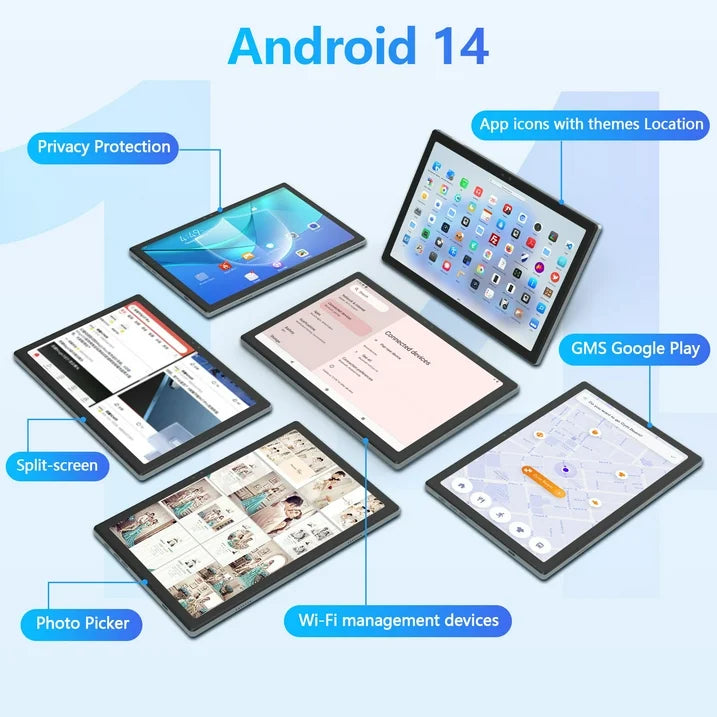
Qukenk,Android 14 Tablet, Widevine L1, 10 inch Tablet with Bluetooth 5.0, WiFi 6, Fast Charging, 8GB RAM+64GB ROM, Split Screen Support
Qukenk,Android 14 Tablet, Widevine L1, 10 inch Tablet with Bluetooth 5.0, WiFi 6, Fast Charging, 8GB RAM+64GB ROM, Split Screen Support
Regular price
$149.99 USD
Regular price
$199.99 USD
Sale price
$149.99 USD
- Brand:Qukenk
- System:Android 14
- WIFI:5G+2.4G WIFI,WIFI 6
- CPU:1.8 GHZ | Octa-Core
- RAM:8GB
- ROM:64GB(Expand to 1TB)
- Battery:8000mAh
- Screen Size:10.1 inch
- Front Camera:5 MP
- Rear camera:13MP
- Charging interface type:Type-C
- Headphone jack type:3.5mm
- Linking the Mouse Method:
- 1. Remove the mouse's battery compartment cover, take out the mouse's signal receiver, and then place two AAA batteries inside the mouse.
- 2. Attach the adapter to the Type-C port of the tablet.
- 3. Plug the mouse's signal receiver into the female end of the adapter.
- 4. Activate the mouse's power switch, and you're done.
- Pairing the Bluetooth Keyboard Method:
- 1. Turn on the tablet's Bluetooth and press and hold to navigate to a new page.
- 2. Choose "+ pair new device" from the options.
- 3. Power on the Bluetooth keyboard by switching it to "ON" and then tap "Connect".
- 4. When the "Bluetooth 3.0 Keyboard" appears on the tablet's screen, select it to initiate pairing.
- 5. If a six-digit code appears on the tablet, enter the same code on the keyboard to establish a connection. (If no code is displayed, just select "Connect".)
- Please be aware that the Bluetooth keyboard should be charged before its first use.
- If the Bluetooth keyboard is not needed, simply switch it off.
- Once the keyboard is fully charged, it can then be paired with the tablet.
Quantity
Couldn't load pickup availability
100000 in stock
View full details